
Professional camera image quality and iPad touch experience
IPAD PROFESSIONAL SELF-PORTRAIT STUDIO
Hi Cheese
Photo
Pack a professional camera, real-time beautification, AI color tracking, live photo streaming, GIF animation, and flipbook creation into one iPad.
Targeting selfie studios, portrait studios, pop-up events, and brand events, the entire process—from customer acquisition and theme selection to real-time shooting, final image processing, QR code delivery, and user photo management—is completed within a single workflow.
Back to the introduction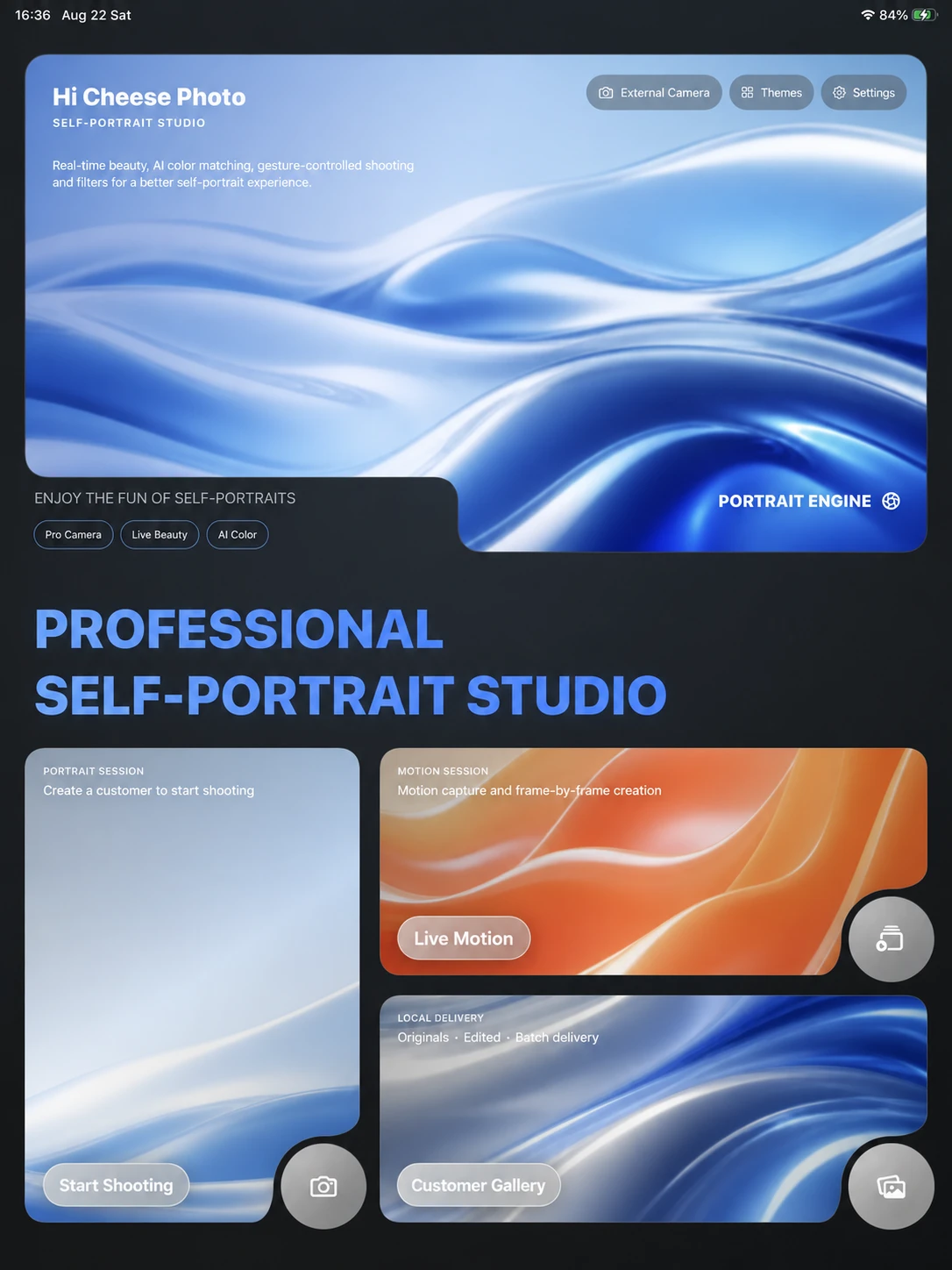
Real-time beautification, makeup, and portrait filters
Gesture recognition, countdown and QR code delivery
ONE SESSION · SIX STEPS
From the moment a customer enters the store to the delivery of photos, the process is crystal clear.
The steps that were originally scattered across the camera, computer, photo editing software, and image transfer tools are consolidated into a single iPad workflow.
- 01
Establish shooting task
Enter the customer's name or use the automatic photo number to create separate files for the original photos, finished photos, GIFs, and flipbook layouts.
- 02
Select theme
Customers can choose sample photos from local or online theme libraries, or they can shoot freely, allowing them to first determine whether they prefer landscape or portrait orientation and their shooting style.
- 03
Entering filming
Connect to a compatible professional camera or use an iPad camera to configure composition, mirroring, countdown timer, beauty mode, makeup, filters, and AI color matching.
- 04
View the effect instantly
View the finished images immediately after shooting, and always prioritize displaying the latest image when shooting in burst mode.
- 05
On-site screening management
View finished products, save photos, zoom in, and switch between previous and previous views. Administrators can also filter and export photos in batches by shooting number.
- 06
Multiple delivery methods
Supports system photo album, system sharing, AirDrop, LAN scanning, batch ZIP download, and optional public network photo live streaming.
CAMERA + iPad
Professional camera image quality, iPad touch experience
It can connect to a professional camera to establish a selfie studio shooting route, or it can be quickly deployed directly using the front and rear cameras of an iPad.
Live View and ShutterExternal cameras support software shutter and in-camera shutter return, and photos are automatically entered into the processing flow.
Parameter panelAperture, shutter speed, ISO, white balance, and other parameters may vary depending on the specific camera model and connection protocol.
Disconnection recoveryProvides disconnection alerts, recovery after reboot, and error log recording.
iPad direct shotSupports front and rear cameras, mirroring, horizontal and vertical composition, and image quality selection.
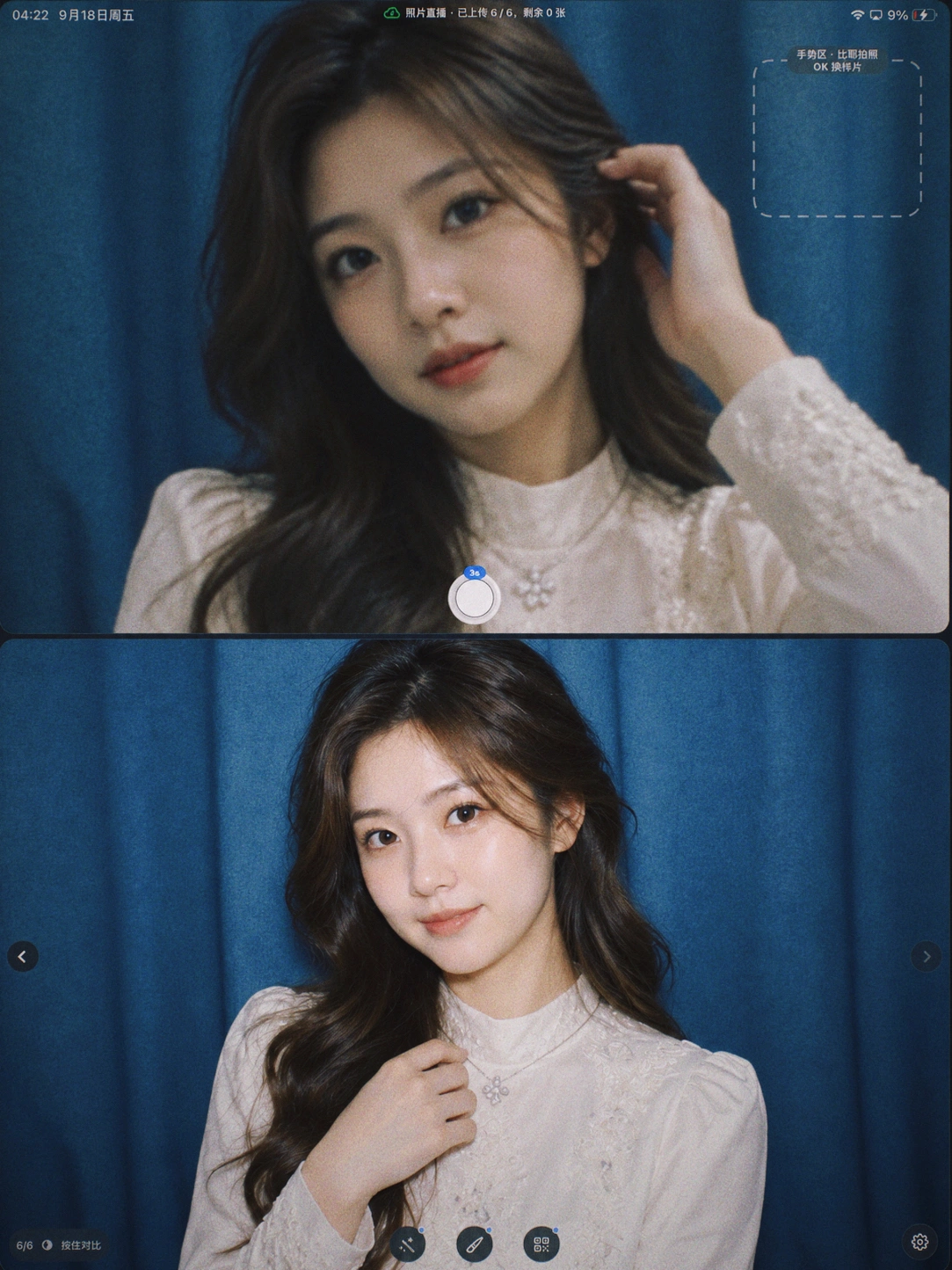
LIVE WORKSPACE
Live view and
instant display, see simultaneously
Confirm composition and poses before shooting, review the latest photos immediately after shooting, and keep framing, countdown, processing, and final image feedback within the same workflow.
Live View
Confirm the position of the subjects, composition, actions, and gestures before shooting.
Instant photos and instant results
Review the photos immediately after shooting and decide whether to keep them or reshoot.
Status feedback
Focusing, countdown, shooting, processing, and uploading progress are displayed in a unified manner.
Original image protection
Save the processed images separately from the original camera images to preserve the original photos at any time.
REAL-TIME PORTRAIT ENGINE
Maintaining the same portrait effect from live footage to high-definition finished product.
You can see the effect before shooting, and continue to use high-definition processing after shooting to ensure that the preview and delivered photos are not two different things.

01 / BEAUTY
Real-time beautification
Skin smoothing, whitening, rosy complexion, sharpening, eye brightening, teeth whitening, blemish removal, and multiple facial contouring adjustments.

02 / MAKEUP
Real-time beauty
It offers makeup options such as sheer, natural, and refined, and supports detailed adjustments for lipstick, blush, and eyebrows.
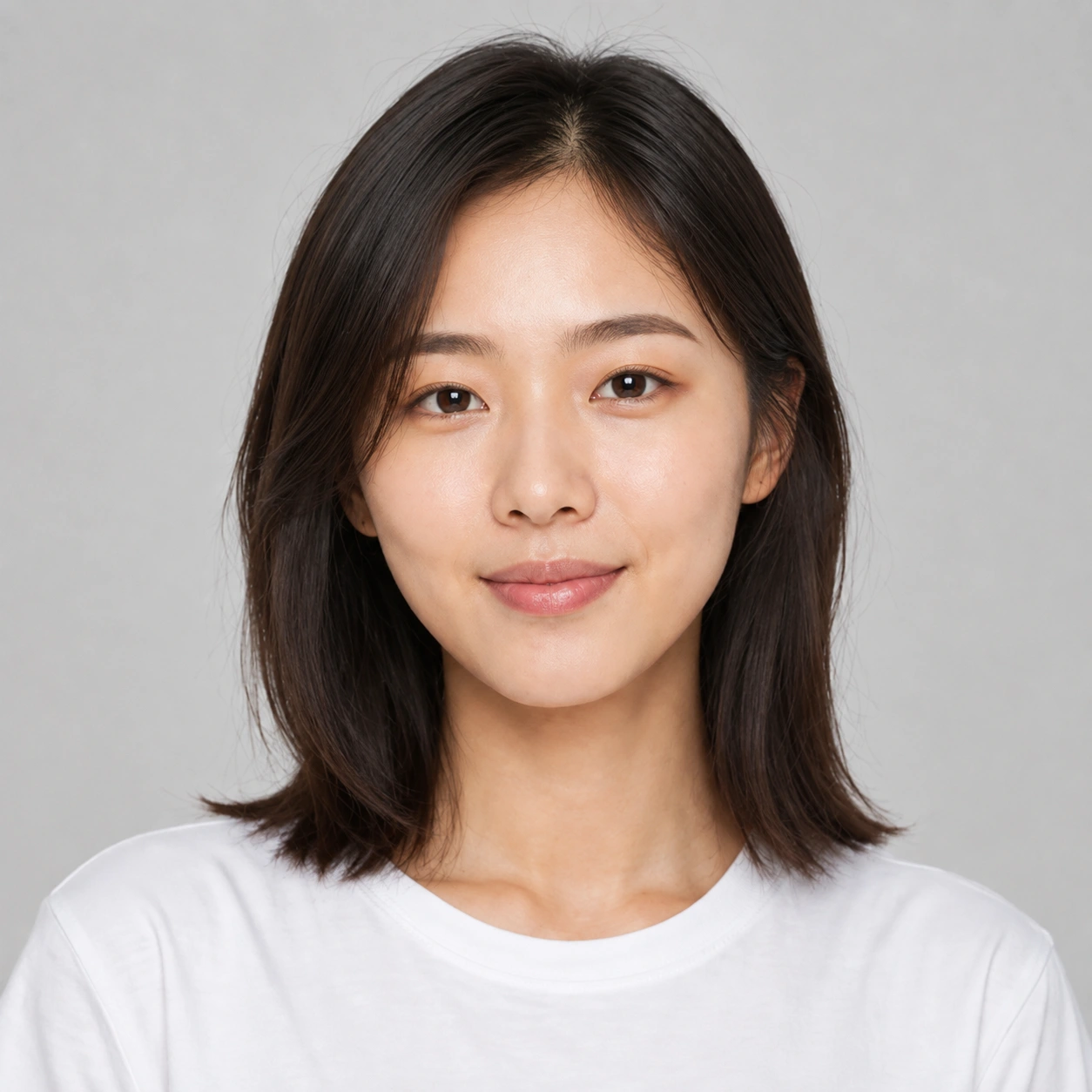
03 / FILTER
Portrait Filters
Covering studio soft skin, magazine cool tones, retro film, green and orange cinema, bright and clear, and textured black and white.
The current customer can temporarily adjust the effect; it will only become the default preset for future customers after the administrator saves it.
AI COLOR MATCH
Carry over the colors you like from the sample photos throughout the entire shoot.
The AI color-tracking engine can generate the image in about 1 second after shooting, providing a cinematic effect without waiting.
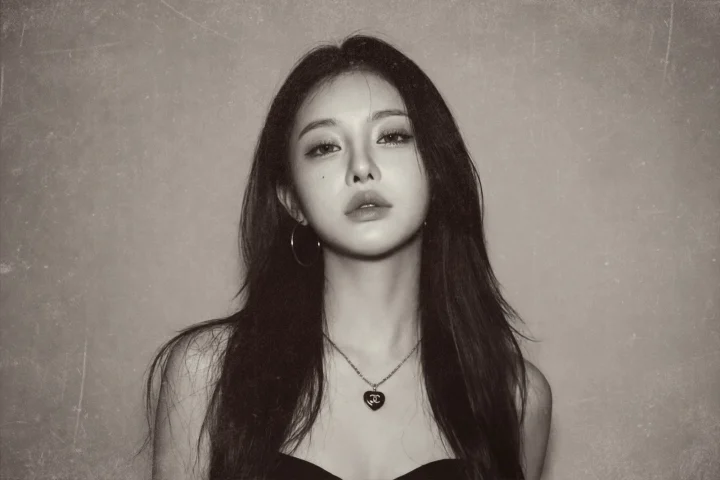








Slow loop display; can be paused at any time.
Style PresetCommonly used color matching effects can be saved as store presets to maintain color consistency throughout the entire shoot.
Original image protectionAlways keep the original photos from the camera; save the color-tracked images and the original photos separately.
THEME LIBRARY
Let the customer see the style first, then start the photoshoot.
Free shooting and themed shooting are managed separately, and stores can import their own sample photos and foreground materials according to their actual business.
Dual entrancesBoth free shooting and themed shooting can be accessed directly.
Custom SamplesSupports importing your own sample photos, allowing customers to see the results before starting the shoot.
Custom ForegroundSupports importing transparent foreground materials to create custom visuals for different events and stores.
Horizontal and vertical page managementLandscape and portrait sample images and foreground materials can all be managed independently.
HANDS-FREE CONTROL
Even when standing back in front of the camera,
you can still control the shooting yourself.
No need to hold a remote control, the image is cleaner, and customers can complete the shooting independently within the designated time period.
Use a peace sign to trigger a photo without holding a remote. Recognition depends on lighting, framing and the visibility of the gesture.
The shooting time can be set to 15 minutes according to the store's arrangements. After the time is up, the screen will automatically lock, and the customer will not be able to continue shooting.


PHOTO LIVE
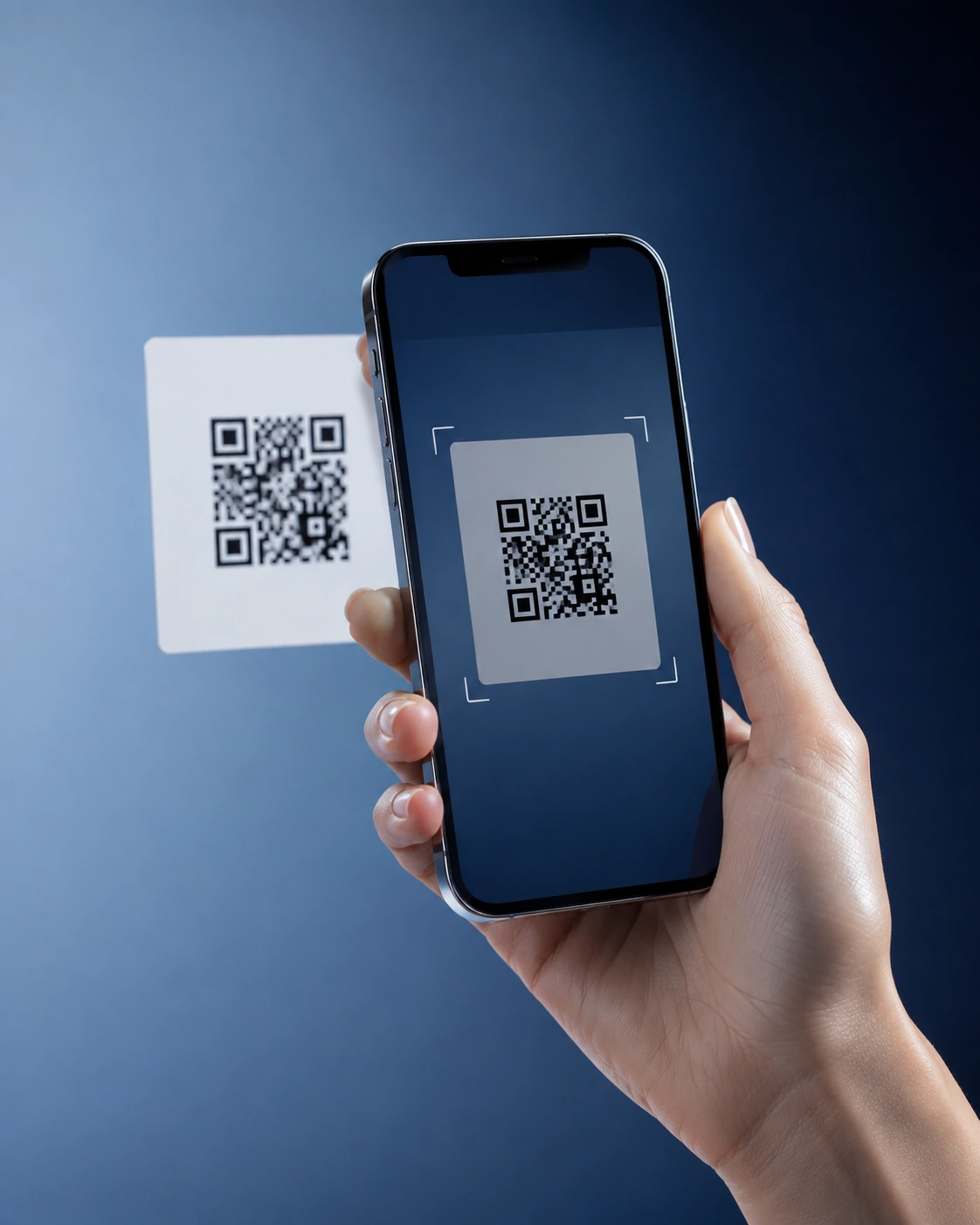
Take photos and upload them simultaneously; customers can scan a QR code to view the photos.
Each customer has a unique live photo link, and newly edited photos are gradually added to the phone's photo album.
Actively startPhoto live streaming is disabled by default; it is enabled for the current customer when the store creates the task.
Hierarchical loadingThe mobile app loads a preview first, then you can view the original image as needed. A maximum of 60 images can be loaded per page.
Upload visibleThe shooting page displays a QR code, real-time progress, and retry options at any time.
Content BoundariesOnly the retouched version will be uploaded; the original video, GIFs, and internally processed files will not be automatically uploaded to the live stream.
GIF · FLIPBOOK
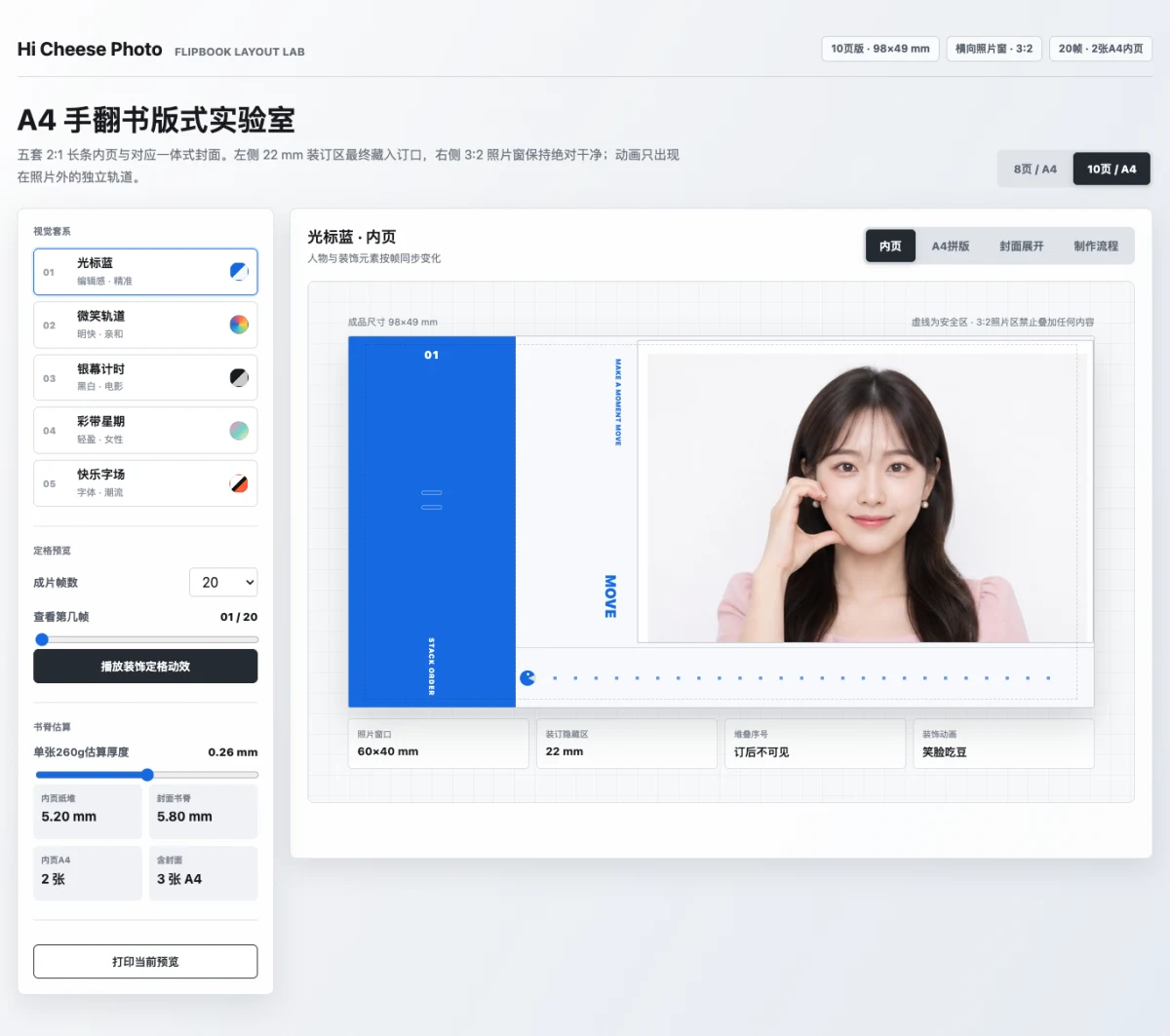
A single action can be simultaneously transformed into an animated GIF and a physical flipbook.
Record continuous motion, select the best candidate segments, and preserve the dynamic image while uniformly extracting frames to create an A4 flipbook.
- Recording duration
- 3 / 4 / 6 / 10 seconds
- Output frame count
- 24 / 36 / 48 frames
- Animation quality
- 480P / 720P / 1080P
- Candidate fragments
- It is recommended to record 3 segments consecutively.
FLIPBOOK THEMES
Rich themes, automatically output A4 format
After the motion recording is completed, the system automatically extracts and typesets frames for easy printing, cutting, and binding at the front desk.
STORE OPERATIONS
Each customer and each photoshoot has its own unique file.
Even with a large number of photos, it's still possible to search, filter, save, submit, and securely delete them by shooting number.
Photo Management
The customer list loads in pages, categorized by actual shooting group, allowing you to view finished products, original photos, GIFs, videos, individual frames, and flipbook-style layouts.
Bulk delivery
Supports multi-selection, favorites, AirDrop, system album, scanning QR codes on the same Wi-Fi network, and single ZIP chunk download.
Safe deletion
Single, batch, or complete tasks all require two confirmations. The second confirmation displays the actual quantity and forces a 5-second wait.
Independent Audit
Permanent deletion results are entered into a separate English audit log; simply clearing the log will not remove the deletion records.
ADMIN · SAFETY · STABILITY
Leave the complex settings to the administrators, and the simple shooting to the customers.
Administrator verification, automated testing, space alerts, and diagnostic logs work together to protect the daily operations of stores.
Key settings, album access, and exiting shooting require administrator verification. Default presets for beauty filters, makeup, and AI color matching can be saved.
Up to 200 images can be processed at 10, 15, or 20 seconds per image, recording success, failure, disconnection, and processing time.
When the remaining space is insufficient, it will provide tiered reminders and pause the writing of new photos, GIFs, ZIP files, and large files.
Records connection, data transmission, AI processing, live photo streaming, and anomaly recovery; can export diagnostic reports without customer photos and passwords.
Five official languages, covering more customers and event venues.
Simplified Chinese
Traditional Chinese
English
Japanese
한국어
Other system languages stable rollback to EnglishLocal priority data path
Original images, finished products, GIFs, videos, layouts, themes, and settings are saved on the current iPad by default.
Photo live streaming is off by default; it will only upload the current customer's retouched photos when the store actively enables it.
Facial and gesture key points are not uploaded to the server by default.
BUSINESS SCENARIOS
One system covering various on-site selfie services
From fixed locations to short-term events, the core shooting and delivery process remains consistent.
Selfie studio and photo studio
Professional camera, real-time beautification, themed sample photos, and instant display make up a complete in-store selfie experience.
Shopping mall pop-up events and brand activities
iPad touch, gesture photography, and live photo streaming allow customers to scan QR codes to receive photos while taking pictures.
Temporary studios and mobile services
An iPad, along with a compatible camera and docking station, can be used to set up a mobile shooting workstation, which can be flexibly deployed according to the needs of the site.
Attracting customers to shopping malls, markets, and store entrances
Bring the selfie experience to shopping malls, markets, or store entrances, and actively attract customers through interactive activities such as on-site shooting and QR code scanning to collect photos.
Compatibility and Usage Instructions
33 camera models tested with real devices
The list below only includes models that have completed real-device tethered shooting tests. A model not appearing here is not necessarily unsupported. If the camera supports tethered shooting and its USB mode, memory card and connection cable are configured correctly, it can usually still be tested. Final compatibility is determined by the actual connection and shooting results of that device.
Canon · 19 models
EOS R5, EOS R5 Mark II, EOS R6, EOS R6 Mark II, EOS R6 Mark III, EOS R7, EOS R8, EOS R10, EOS R50, EOS R50 V, EOS R100, EOS M50, EOS M200, EOS 90D, EOS 200D II, EOS 850D, EOS 6D, EOS 6D Mark II, EOS 5D Mark IV
Nikon · 2 models
Z 50, D5300
FUJIFILM · 4 models
X-T3, X-T5, FUJIFILM X-S20, X-S10
Sony · 8 models
ZV-E10, A7M3, A7M4, A7M5, A7R3, A7R5, A6400, A6300
- Compatible with iOS / iPadOS 17 and above. It is recommended to use a newer iPad with better performance for a more stable real-time processing experience.
- Thirty-three Canon, Nikon, FUJIFILM and Sony models have completed real-device tethered shooting tests. Models not listed may still be tested when the camera supports tethered shooting and the USB mode, memory card and connection cable are configured correctly; final compatibility depends on actual connection and shooting results.
- The A4 flipbook is currently generating and saving a formatted PDF, but does not include complete online printer settings.
- Five languages are officially supported; other system languages will be rolled back to English.